
Core features
Memory for Ask Dictāta
Save your role, writing preferences, and sign-off for Ask on this computer.
Updated 2026-10-18
Add facts about yourself
Memory gives Ask Dictāta background for drafts and replies, so you do not have to repeat it in every instruction. The Memory page is available on macOS and Windows.
- Open the main Dictāta window.
- In the sidebar, expand Customize and choose Memory.
- Write one fact per line: your role, who you write to, your preferred tone, your sign-off, or a link you often share.
- Changes save automatically as you type. There is no separate Save button.
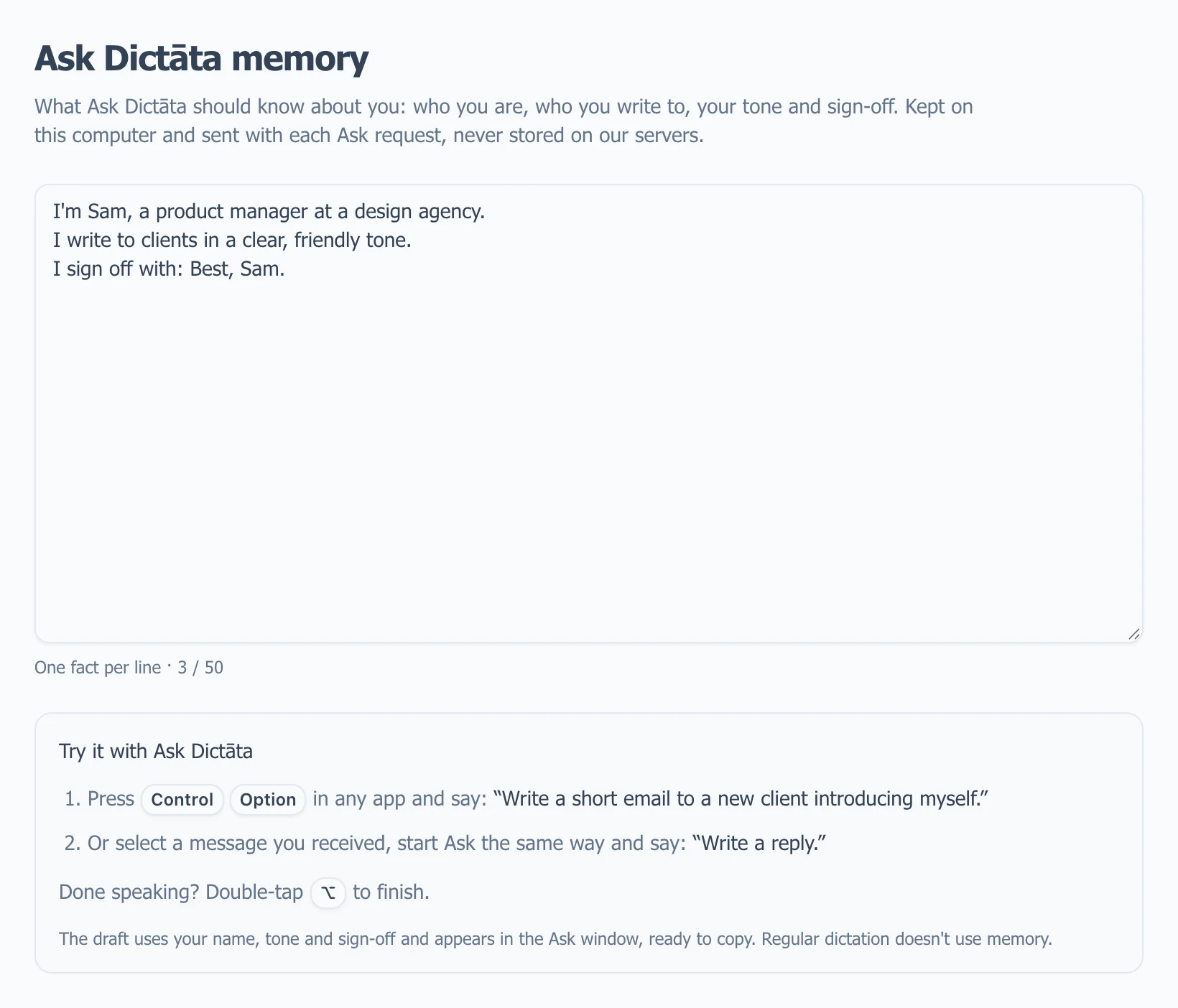
Example desktop interface with sample facts. Both desktop platforms use this Memory page; shortcut labels follow your platform. Select the image to view it full size.
For example:
I'm Sam, a product manager at a design agency.
I write to clients in a clear, friendly tone.
I sign off with: Best, Sam.
The page keeps up to 50 non-empty facts. Use short, useful statements rather than long documents; the counter below the field shows how many lines are saved.
Try a draft or reply
- Without a selection, start Ask and say “Write a short email to a new client introducing myself.”
- Or select a message you received, start Ask, and say “Write a reply using my usual tone and sign-off. Show it in the Ask window.”
On Mac, start with Control+Option and finish with Option+Space or double-tap Option. On Windows, start with double-tap Ctrl or Ctrl+Alt+C, then finish with Ctrl+Space or double-tap Alt. These defaults can be changed in Settings → Interface.
Storage and privacy
Memory is saved on this computer, separately for each signed-in account. Switching accounts shows that account's saved facts. Signing back into the original account on the same computer restores access to its Memory; this is not automatic synchronization to another computer.
The saved Memory list is not stored on Dictāta's servers. Its facts are included with each Ask request and sent to your configured AI service for processing. Local storage does not mean the facts stay offline during Ask. Add only information you are comfortable using in those requests.
Memory does not personalize regular dictation. Voice Commands and Glossary have separate jobs; their lists are not automatically copied into Ask Memory.
Change, remove, or move facts
Edit a line to change a fact, or remove it to stop including it in future Ask requests. Memory is included in the account's local data backup and the app's Download/Upload Data controls. Back up data before clearing local app data or moving computers.
If Memory, Glossary, or Commands edits disappear after a restart, update Dictāta and check that you signed back into the same account. See Troubleshooting.