Beyond Auto-Correct: How Custom Prompt Styles Turn Casual Speech into Polished Writing
 By Dictāta Team
Table of Contents
5
Table of Contents
5When most people think of voice dictation, they picture basic speech-to-text: you speak into a microphone, and the computer transcribes your exact words onto the screen. If you hesitate, use filler words ("um", "like", "you know"), or lose your train of thought, traditional dictation leaves you with messy text that requires heavy manual editing.
Modern AI dictation tools improved this by adding basic auto-correct—stripping out "umms" and adding automatic punctuation. But Dictāta takes this a step further with Custom Prompt Style Transformations.
Instead of forcing you to speak like a polished public speaker, Dictāta lets you speak naturally—even casually or ramblings—and transforms your raw spoken thoughts into tailored, professional writing in real time.
What is Custom Prompt Style Transformation?
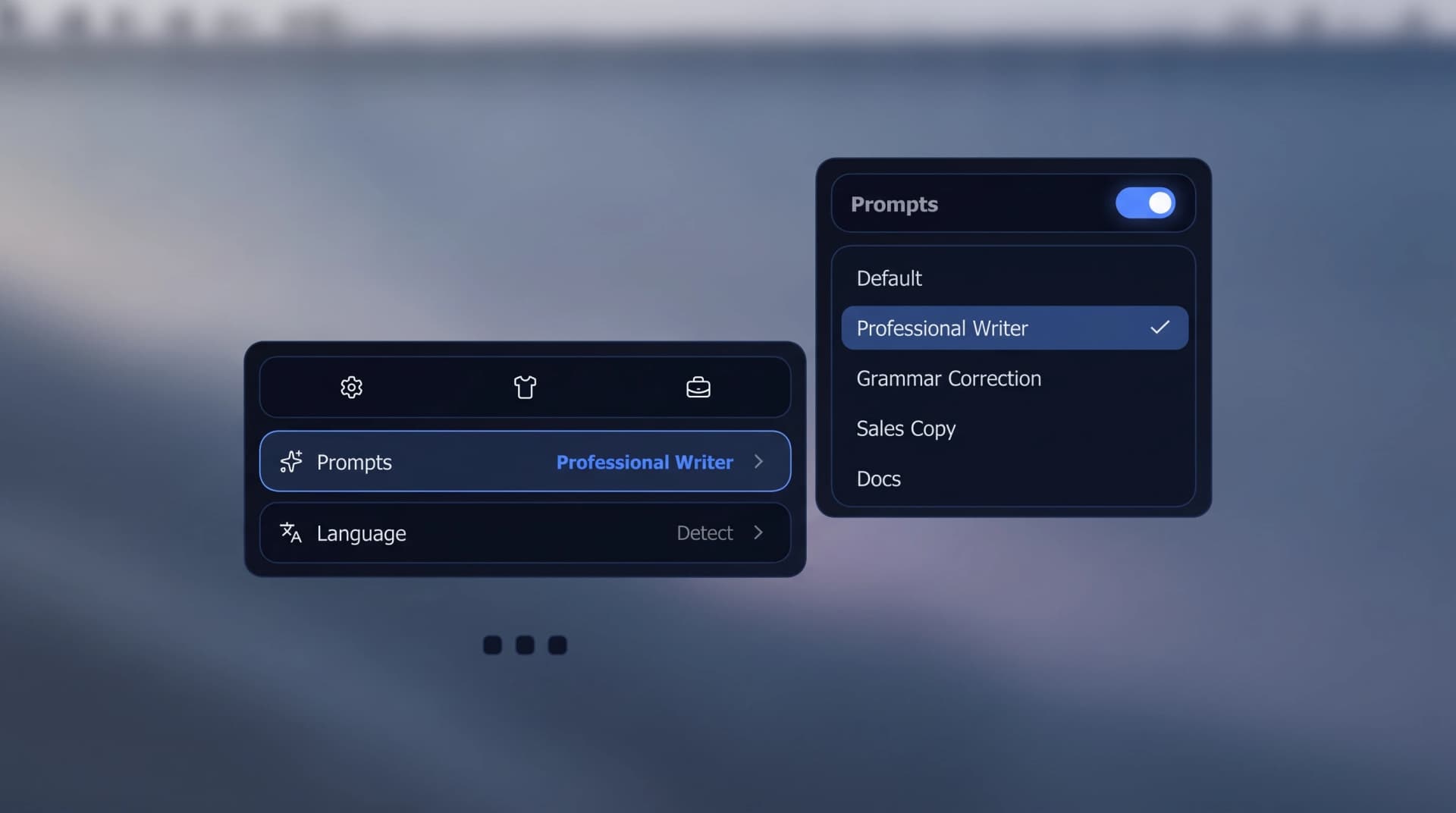
Custom Prompt Style Transformation is the ability to define how Dictāta reshapes your spoken words before inserting them into your active application.
Rather than just cleaning up grammar, Dictāta acts as an instant editor. You configure a prompt rule, press your global hotkey, speak your mind, and Dictāta rewrites the output to match your target format and tone.
4 Real-World Examples of Style Transformation
1. From Casual "Street Talk" to Executive Polish
- What You Say: "Hey John, uh, look, we kinda missed the deadline for the report because the design team was running late on assets, so we'll probably get it over to you by Thursday afternoon instead."
- Dictāta Prompt: Executive Polish
- What Appears at Your Cursor: "Hi John, Due to a brief delay in asset delivery from the design team, we have updated our schedule and will submit the final report by Thursday afternoon. Thank you for your patience."
2. From Rambling Thoughts to a Posh Copywriting Tone
- What You Say: "So yeah, this hotel has amazing views of the ocean, really nice pools, super relaxing vibe, great food at the restaurant..."
- Dictāta Prompt: Posh Travel Copywriter
- What Appears at Your Cursor: "Nestled along the pristine coastline, this sanctuary offers panoramic ocean vistas, exquisite culinary dining, and tranquil pools designed for refined relaxation."
3. From Spoken Explanation to Structured Jira Ticket
- What You Say: "The login button on mobile safari isn't responding when users tap it. It works fine on desktop Chrome though. We need to fix the click handler."
- Dictāta Prompt: Jira Ticket Format
- What Appears at Your Cursor:
**Bug Summary**: Login button unresponsive on Mobile Safari
**Environment**: iOS / Mobile Safari
**Expected Behavior**: Tapping 'Login' triggers authentication payload
**Actual Behavior**: Tap event fails to fire; desktop Chrome unaffected
4. Spoken Multilingual Translation
- What You Say (in German): "Wir müssen das Treffen auf nächsten Dienstag verschieben, weil das Projektteam noch Vorbereitungszeit braucht."
- Dictāta Prompt: Translate to Professional English
- What Appears at Your Cursor: "We need to reschedule the meeting to next Tuesday, as the project team requires additional preparation time."
How It Fits Into Your Workflow
Because Dictāta operates as a system-wide overlay on macOS and Windows, you don't need to open a separate AI chat window, copy prompts, or paste text back and forth.
- Place your cursor in Slack, Gmail, Notion, Word, or VS Code.
- Press your double-tap hotkey (
Option twiceon Mac,Alt twiceon Windows). - Select your active prompt style (or use your default).
- Speak naturally.
- Press the hotkey again—the formatted, styled text appears instantly at your cursor.
Why Style Transformation Changes Productivity
When you remove the friction of having to "speak formally," voice dictation becomes effortless. You can dictate while pacing the room, brainstorming out loud, or quickly clearing your inbox without worrying about exact phrasing.
Dictāta bridges the gap between how humans naturally think and speak out loud, and how professional writing needs to look on screen.
Related Reading
- Dictāta: Voice-to-Text for Your Entire Computer
- Wispr Flow Alternative — see how this compares to Wispr Flow's formatting
- Top 6 Privacy-First AI Dictation Apps in 2026
- How to Write Faster on a Keyboard
Try Dictāta for free and set up your custom prompt library today