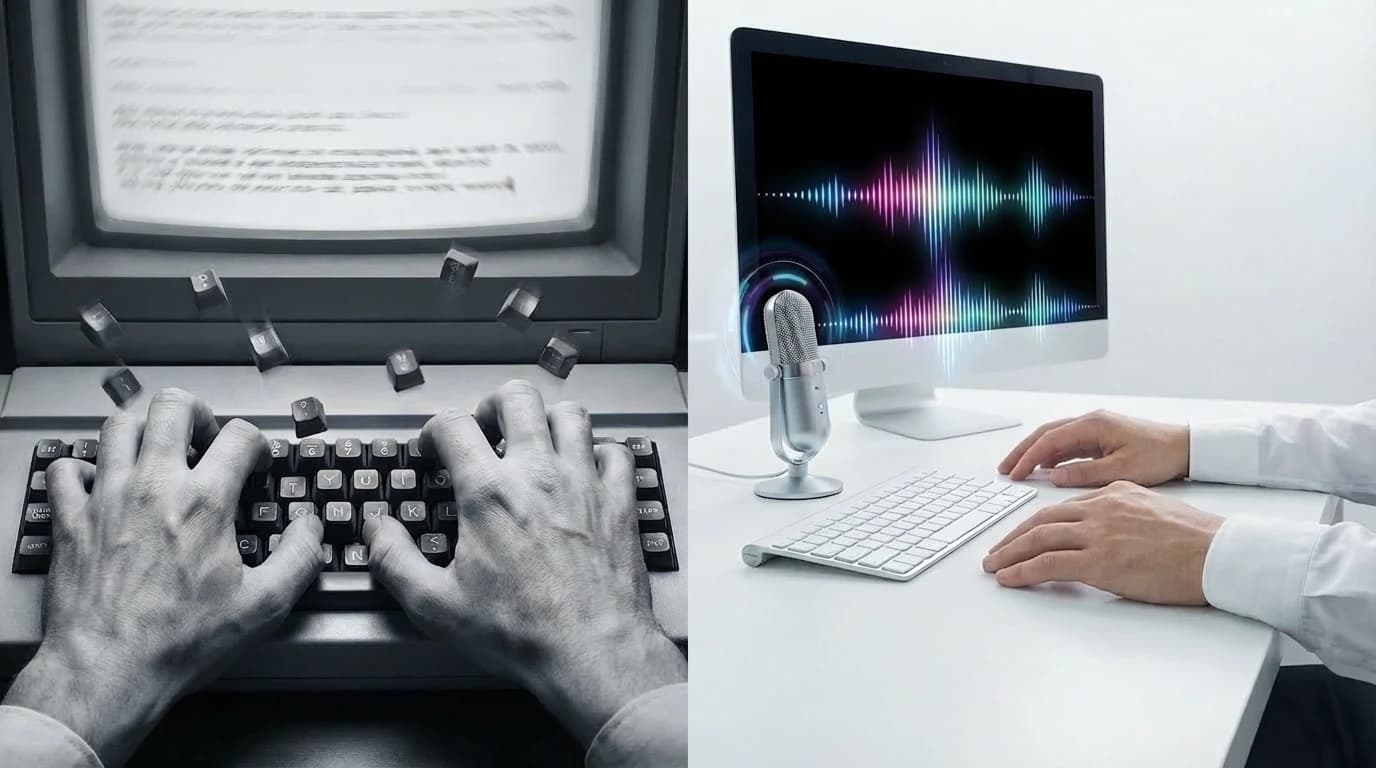
How to Write Faster on a Keyboard: The Smarter Alternative to Typing
 By Dictāta Team
Table of Contents
17
Table of Contents
17TL;DR
Most advice about writing faster focuses on keyboard practice, but your hands will always be slower than your thoughts.
Speaking is the fastest way to turn ideas into text.
Dictāta lets you press a hotkey, speak naturally, and instantly insert polished text into any app.
Why People Want to Write Faster
The reason is simple: writing takes time, and many people feel limited by how quickly they can type.
If you write emails all day, take notes in meetings, prepare reports, or draft messages constantly, slow typing can feel like a bottleneck. You might even notice that your ideas move faster than your fingers.
Because of that, people often go looking for shortcuts — ways to get words on the screen more quickly, more accurately, and with less effort.
Some techniques can genuinely help. But they all share the same limitation: they still depend on your hands doing all the work.
How to Type Faster on a Keyboard (Traditional Advice)
Most guides on typing speed recommend similar techniques.
Touch typing
Learning to type without looking at the keyboard can increase both speed and accuracy. It's usually the first recommendation for anyone serious about improving their typing.
The catch is that it takes weeks of consistent practice before it becomes natural.
Typing practice and drills
Typing exercises and games are another popular suggestion. Tools like Monkeytype or Keybr let you measure your speed and improve gradually through repetition.
They work — but slowly. Improvement is measured in weeks and months, not hours.
Improve accuracy first
Many typing coaches recommend focusing on accuracy before chasing speed. Fewer mistakes means less time correcting text, which adds up over a full day of writing.
Keyboard familiarity
Using shortcuts, learning your keyboard layout, and getting comfortable with the physical feel of your keys can all contribute to more efficient typing.
But even if you master all of this, there's still a ceiling.
Your fingers can only move so fast.
Why Typing Speed Has a Natural Limit

Even professional typists hit a wall at some point. Reaching 80 or 100 words per minute is a real achievement, but even at that level, typing is still constrained by several factors:
- Finger movement and coordination
- Hand and wrist fatigue over long sessions
- Keyboard ergonomics
- The mental interruption of constantly switching between thinking and editing
Laptop keyboards can make this even harder. They're often smaller, flatter, and less comfortable for extended writing — which is why so many people feel more tired after writing on a laptop than on a full-size keyboard.
The core problem stays the same regardless of setup: typing requires physical effort for every single word.
That's why improving your technique alone often delivers limited returns after a certain point.
The Faster Alternative: Stop Typing Everything Manually

If your goal is to write faster, there's a different approach worth considering.
Instead of pushing your fingers to move quicker, you can change how you input text entirely.
Speaking is naturally faster than typing for most people. When you talk, ideas come out continuously — no finger placement, no hunt for the right key, no pausing to fix a typo mid-thought.
This is where voice dictation changes the game.
Instead of routing every sentence through your keyboard, you simply speak and let software handle the typing.
Why Voice Dictation Can Be Faster Than Typing
Voice input removes several bottlenecks that slow writers down.
Faster idea capture
When speaking, you can express ideas almost as quickly as you think them. This is particularly useful when brainstorming or working through a rough draft.
Less interruption
Typing often breaks your train of thought because you're simultaneously thinking, forming words, and correcting mistakes. Speaking lets ideas flow more continuously.
Reduced physical strain
Typing for hours creates fatigue in your hands, wrists, and shoulders. Dictation cuts down on that physical load significantly.
Faster first drafts
Many writers struggle most with getting that first version down. Voice dictation lets you push through a draft quickly before worrying about polish.
How We Built Dictāta to Make Writing Faster
At Dictāta, we built our tool around one simple principle: writing should happen at the speed of thought.
Instead of forcing users into a separate writing environment, we designed Dictāta to work directly inside the applications people already use every day.
You press a hotkey, speak naturally, and your text appears instantly at the cursor.
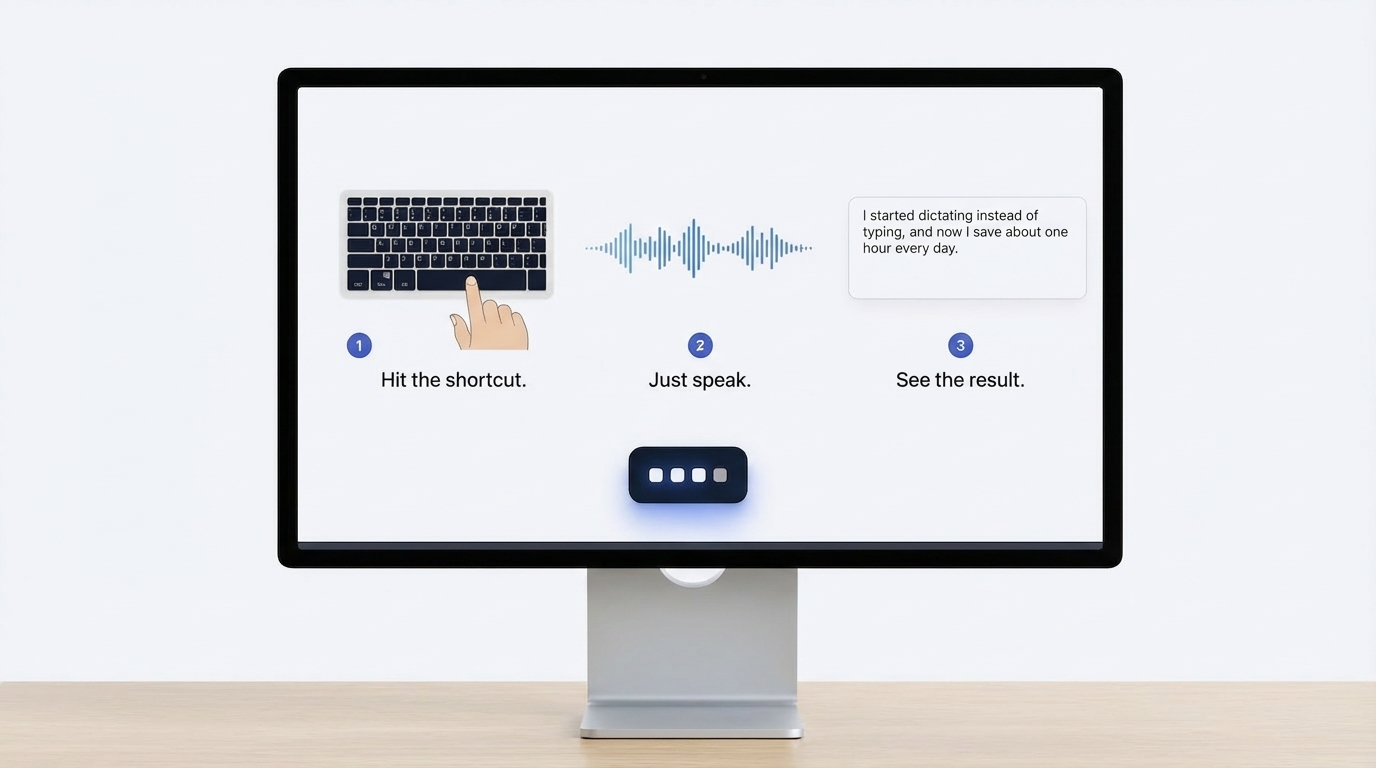
This means you can dictate text in:
- Emails
- Documents
- Chat applications
- Note-taking apps
- Any other writing environment
Our goal at Dictāta is not to replace your keyboard entirely. Instead, we help remove the keyboard bottleneck during the parts of writing that slow you down the most.
Turning Speech Into Polished Text
One challenge with traditional speech-to-text tools is that they often produce raw transcripts full of filler words and awkward phrasing.
At Dictāta, we focus on making spoken input actually usable as written text. When you speak naturally, we turn those words into clean copy that fits directly into your workflow — without requiring a full round of cleanup afterward.
AI Actions: Improve Text Instantly
Writing doesn't stop once text appears on the screen.
That's why we created AI Actions. These allow you to transform selected text after dictating it — reshaping wording, improving clarity, or adjusting tone without rewriting everything manually.
At Dictāta, we designed AI Actions so that refining text becomes faster than traditional editing.
Context Actions Without Breaking Your Workflow
Another feature we built is Context Actions, which let you interact with text directly inside your current application.
Instead of copying content into a separate AI tool, you can select text and trigger an action instantly, right where you're working.
This keeps your writing workflow uninterrupted and efficient.
Voice Commands for Repetitive Text
Many professionals type the same information over and over: email signatures, addresses, templates, standard responses.
At Dictāta, we support voice commands that let you insert frequently used text instantly.
Over time, this can eliminate a surprising amount of repetitive typing from your day.
Smart Glossary for Names and Technical Terms
Speech recognition can struggle with specialized vocabulary, product names, or technical terms — especially in fields with jargon.
To solve this, we built a smart glossary at Dictāta. You can define words that should always be recognized correctly, so dictation stays reliable even when working with industry-specific terminology.
Typing Practice vs Voice-First Writing
Typing practice can absolutely make you more comfortable and confident at a keyboard.
But if your goal is maximum writing speed, the most effective strategy is often a hybrid approach:
- Use voice dictation to create text quickly
- Use the keyboard for corrections and fine-tuning
At Dictāta, we believe this balance offers the best productivity boost. You keep the precision of keyboard editing while removing the biggest bottleneck from the writing process.
Best Situations to Use Voice Dictation
Voice-first writing is especially useful when speed matters more than precision.
Writing emails
Dictating emails lets you respond quickly without carefully typing every sentence. Works particularly well for longer replies.
Taking notes
When ideas are coming fast, dictation helps you capture them before they disappear. No need to slow down to type.
Drafting documents
Speaking through an outline or rough draft is often significantly faster than typing it from scratch — and easier to edit once it's down.
Brainstorming
Creative thinking tends to flow more naturally through speech. Dictating a brainstorm and cleaning it up afterward can be more productive than trying to write and think at the same time.
Privacy and Voice Tools

Many people are curious about dictation tools but hesitate because of privacy concerns — understandably so.
At Dictāta, privacy is something we take seriously. We're Germany-based and designed with GDPR compliance in mind. We offer EU routing, global routing, and a future local model for users who want to keep everything on-device.
Audio and transcription data are not stored when using our routing modes, and glossary terms remain on your device.
This lets users adopt voice workflows without compromising on privacy.
The Real Goal Is Faster Writing, Not Faster Typing
When people search for ways to write faster, they usually assume the answer involves better typing technique.
But the real objective isn't faster fingers.
The real objective is faster output.
At Dictāta, we believe writing tools should reduce friction between ideas and text. Voice dictation helps bridge that gap by letting you capture thoughts quickly and refine them afterward — instead of forcing every sentence through the keyboard one keystroke at a time.