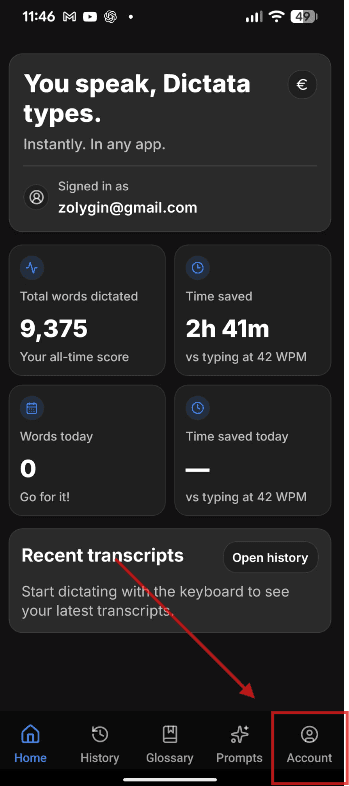
1. Open the App
Open the app, then tap the Account button in the bottom menu.
We value your privacy and provide a straightforward way to manage your data. If you want to delete your account and all associated personal information, follow the steps below for your device.
Please review these points carefully before continuing.
The process is the same for iPhone and Android devices.
Open the app, then tap the Account button in the bottom menu.
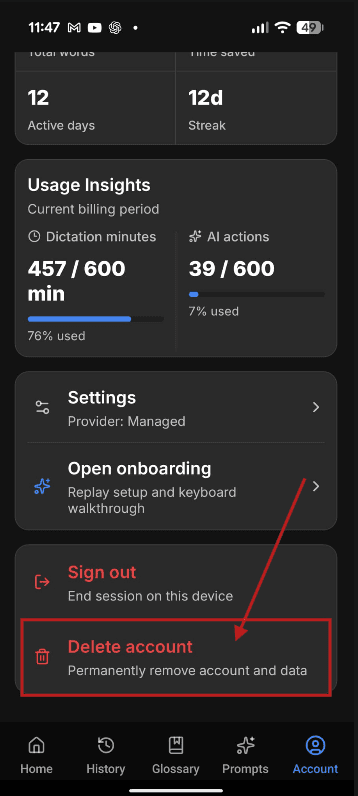
On the Account page, scroll down and tap "Delete Account".
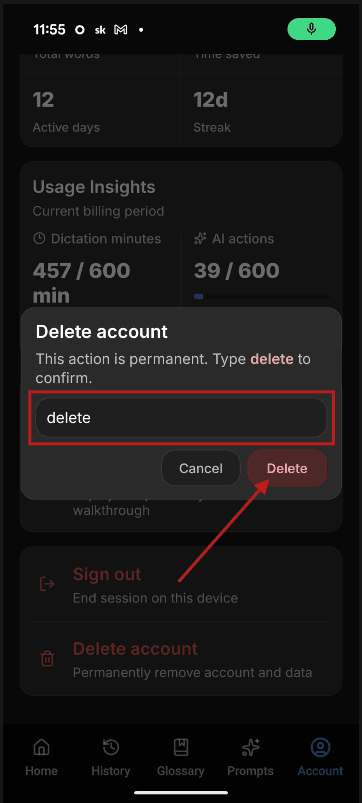
In the confirmation input field, type "delete" and then tap the delete button.
The steps are identical on both Windows and Mac desktop apps.
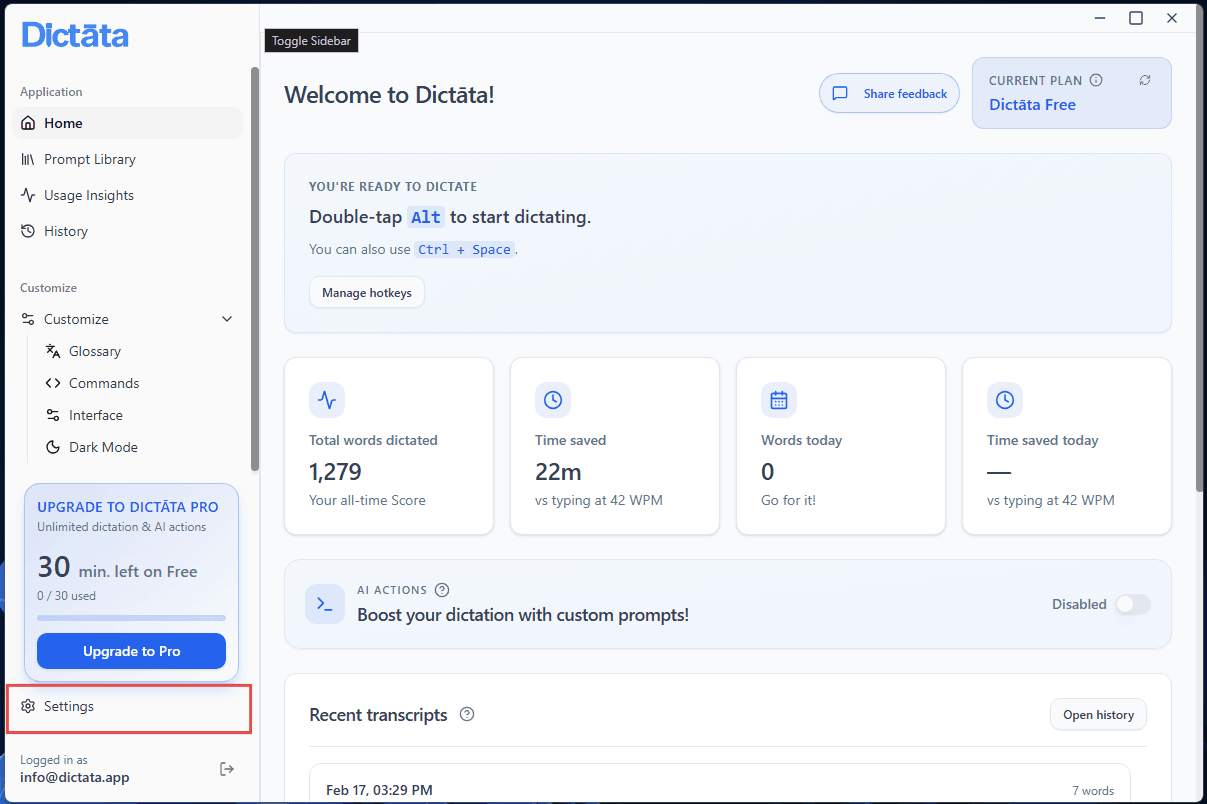
Open the desktop app, ensure you are logged in, then click your profile area in the top navigation and choose Settings.
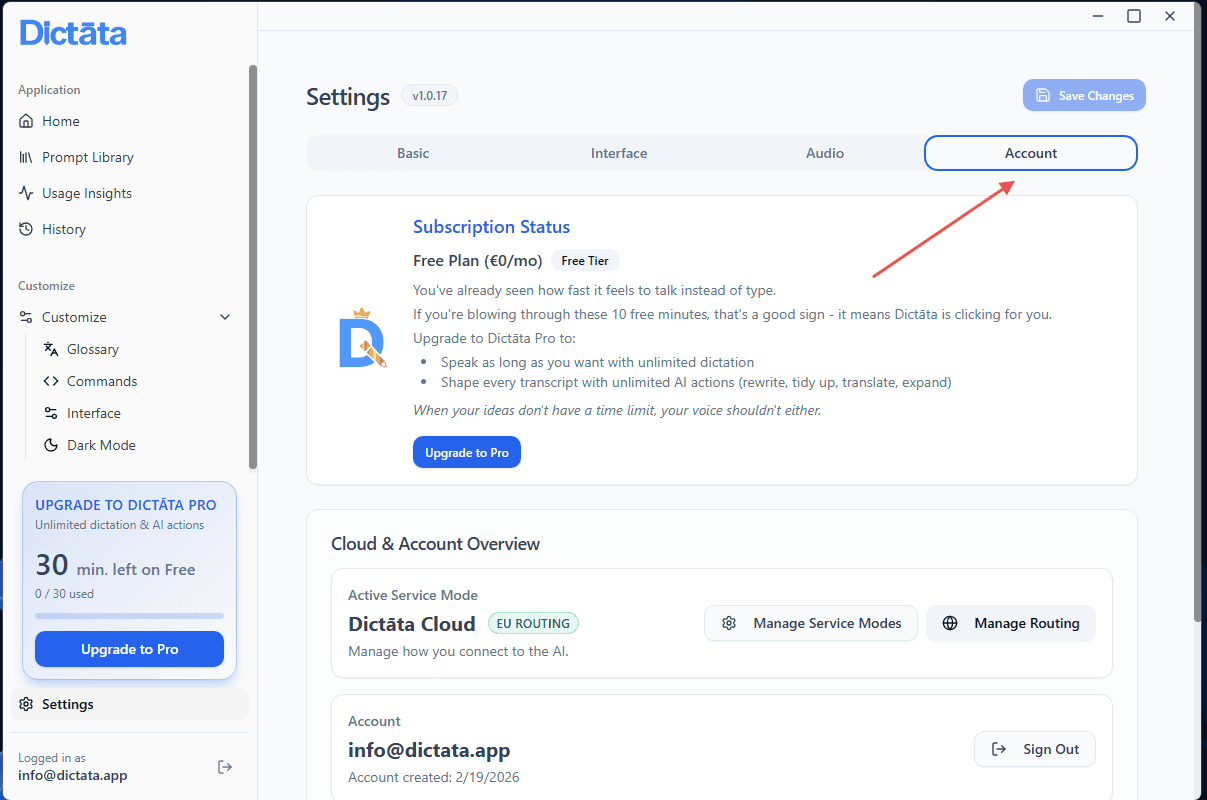
In Settings, open the Account section and scroll down.
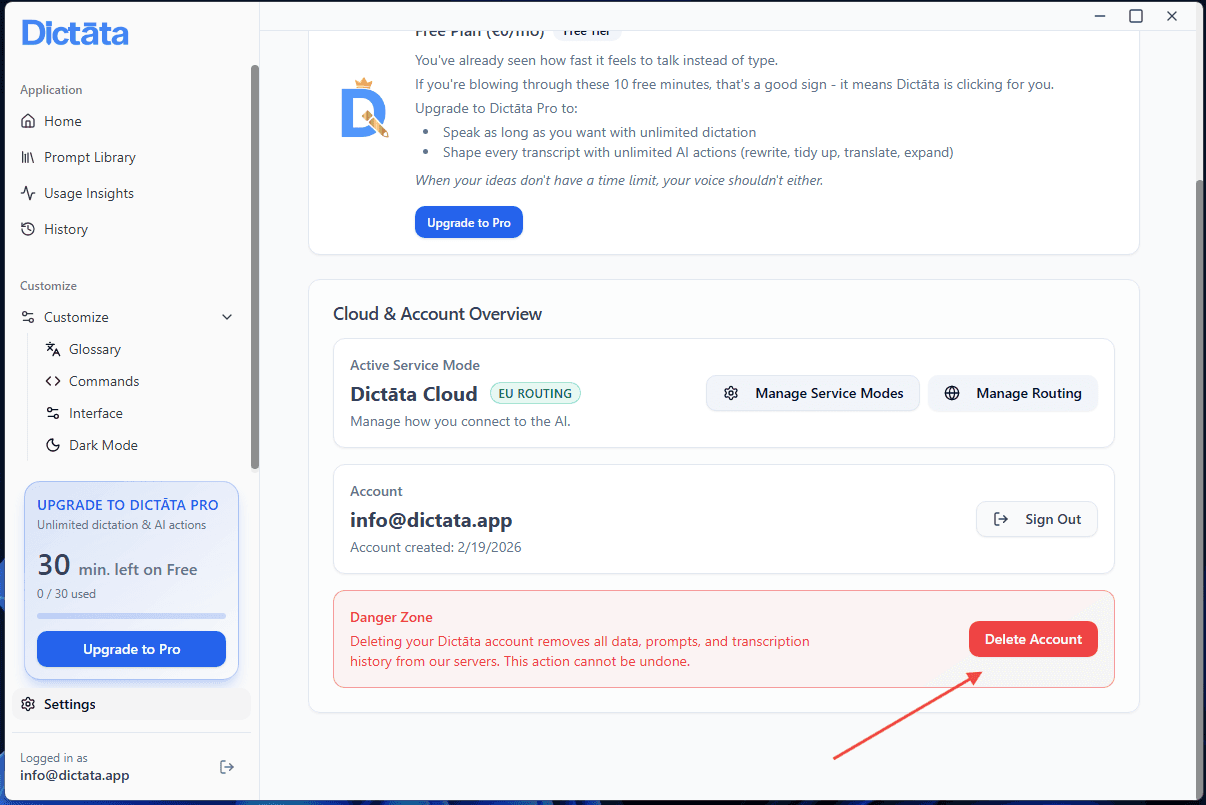
Click the "Delete Account" button to open the confirmation prompt.
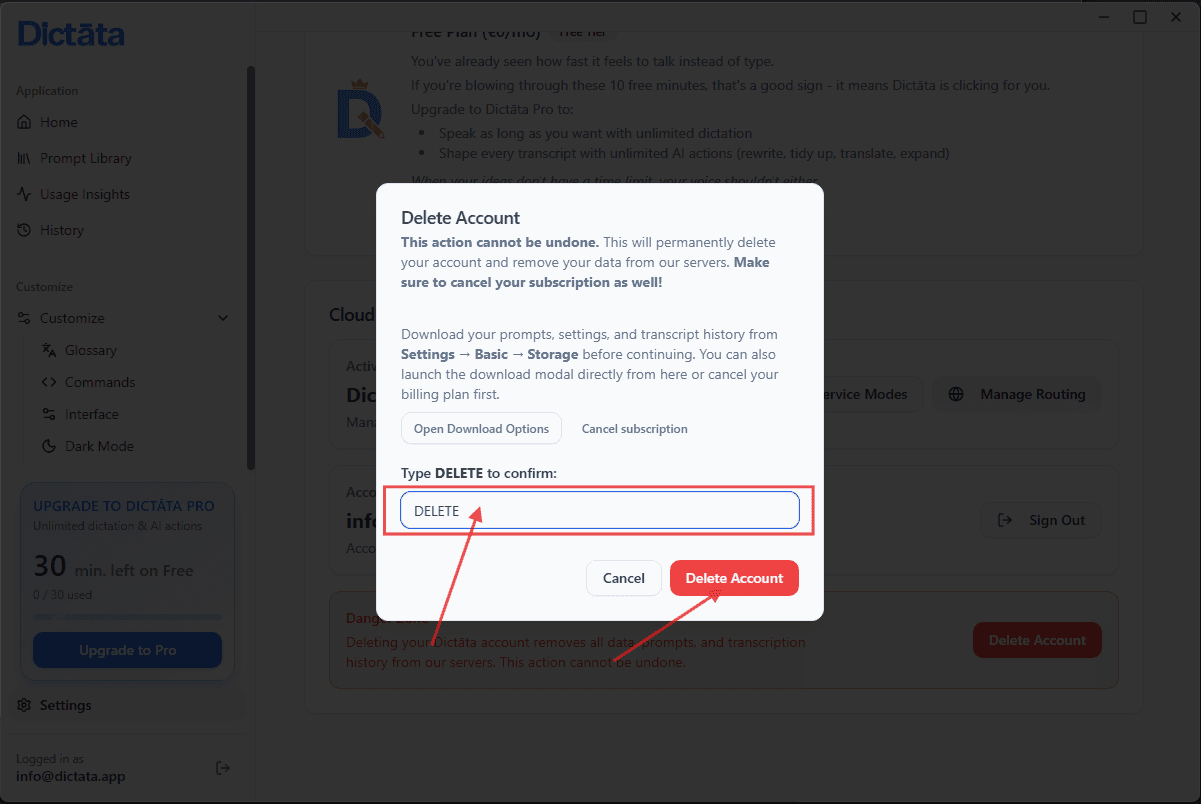
In the confirmation input field, type "delete" and click the delete button.
If you have any questions about your data or run into problems while deleting your account, contact our support team.
Contact support: info@dictata.app